
- Enhanced Liquid Glass Customization
- Expanded Flash for Alerts (Screen Flash)
- New Alarms in Reminders App
- Apple Music & Podcasts Refinements
- Gaming Performance Improvements
- Background Security & Privacy Updates
- How to Install iOS 26.2
Apple’s latest software update, iOS 26.2, has begun rolling out to compatible iPhones worldwide. While the official release notes are characteristically brief, the update delivers several meaningful enhancements that improve user experience. These under-the-radar features focus on greater customization, refined app functionality, and innovative accessibility tools, proving that even minor point updates can bring significant quality-of-life improvements.
This incremental update underscores Apple’s commitment to refining the iOS experience between major annual releases. Beyond general bug fixes and essential security patches, iOS 26.2 introduces subtle yet powerful new capabilities. Users can now personalize their devices more deeply and interact with notifications in more intuitive ways, enhancing both aesthetics and practicality.
Enhanced Liquid Glass Customization Options
One of the standout additions in iOS 26.2 is expanded control over the Liquid Glass interface elements. Users now have access to more granular settings for adjusting motion effects, transparency, and animation curves within the system UI. This allows for a more tailored visual experience that can match personal preference or reduce visual motion for comfort.
These new toggles are found within the Accessibility > Motion settings menu. They enable users to fine-tune the fluid dynamics of icons, folders, and system alerts. This level of detail in UI customization was previously limited, marking a shift towards offering users more control over their device’s look and feel without requiring a full iOS version jump.
Revamped “Flash for Alerts” Accessibility Feature
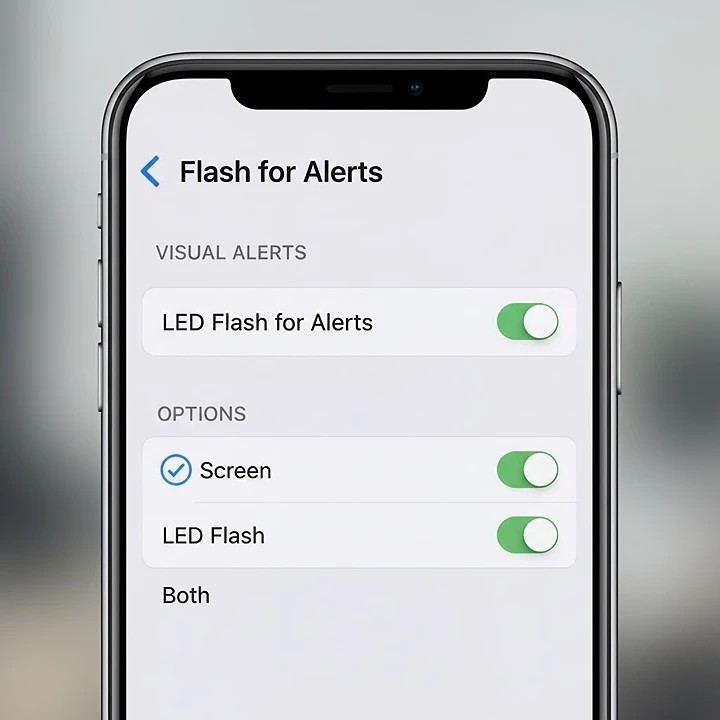
A significant expansion comes to the existing “Flash for Alerts” accessibility feature. Previously, this setting only triggered the iPhone’s rear LED flash for notifications. With iOS 26.2, Apple has introduced a new “Screen” option, allowing the entire front display to flash visibly when an alert arrives.
This enhancement is particularly beneficial in loud environments or for users who are hard of hearing. The screen flash provides a clear, visual cue that is impossible to miss. Users can now choose between LED Flash, Screen Flash, or Both, creating a notification system that works best for their individual needs and surroundings.
New Alarm Integration in the Reminders App
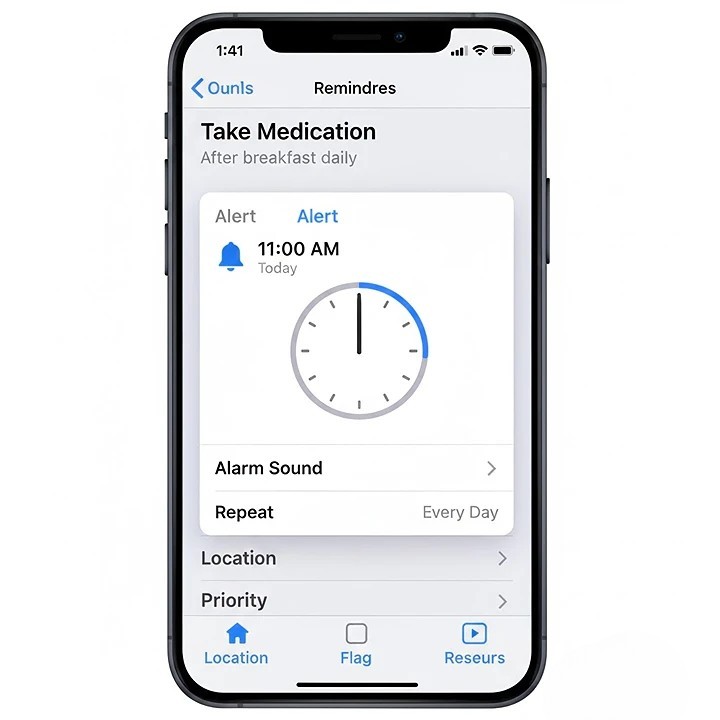
iOS 26.2 bridges two core productivity apps by integrating alarm functionality directly into the Reminders application. Users can now set time-based alerts for specific reminders that function like standalone alarms, complete with custom sounds and vibration patterns. This eliminates the need to create a separate clock alarm for time-sensitive tasks.
This integration streamlines workflow for managing deadlines, medication schedules, or daily rituals. The alarm will sound persistently until manually dismissed, ensuring critical reminders receive the user’s full attention. It represents a thoughtful convergence of Apple’s ecosystem apps for a more seamless productivity experience.
Apple Music and Podcasts Interface Refinements
The update brings subtle but welcome interface tweaks to Apple Music and Podcasts. In Apple Music, enhancements include more intuitive playlist management tools and refined animation when adding songs to your library. The “Listen Now” section has also been optimized for faster loading and more relevant content discovery based on listening habits.
For Podcasts, new library filtering options make it easier to sort subscriptions by release date, download status, or show category. Playback controls have been subtly redesigned for easier access during hands-free use, and episode download management is now more efficient, especially for users with extensive subscribed catalogs.
Gaming Performance and Controller Improvements
iOS 26.2 includes under-the-hood optimizations specifically for mobile gaming. These improvements result in better thermal management during extended play sessions, helping to maintain consistent frame rates. Support for third-party game controllers has been expanded, with reduced latency and improved button mapping customization in the Settings app.
The update also enhances the visual quality of Game Center achievements and leaderboards. Players will notice smoother animations and quicker load times when accessing their gaming profile or challenging friends, creating a more polished and responsive social gaming ecosystem directly on the iPhone.
Background Security and Privacy Enhancements
As with all iOS updates, 26.2 includes important security patches that address vulnerabilities discovered since the last release. These updates are automatically applied and help protect user data from potential exploits. Apple’s security notes confirm fixes for issues related to WebKit, the kernel, and Bluetooth protocols.
Privacy features also receive minor boosts, including more detailed app privacy reports for certain system processes. iOS 26.2 delivers improved transparency by fleshing out the information in Privacy & Security settings, where users can now see a more detailed account of how apps seek access to their data.
How to Install and Explore iOS 26.2
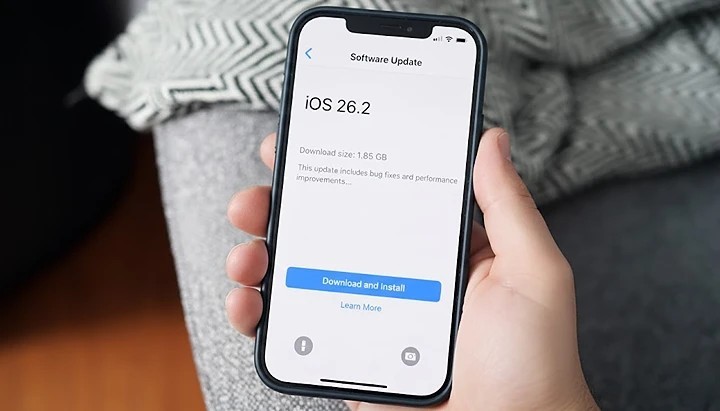
To install the update, navigate to Settings > General > Software Update on your compatible iPhone. Make sure your iPhone is linked to a Wi-Fi network and either has ample charge or is connected to a power source during the process. After installation, explore the new features by visiting the Accessibility and Reminders app settings to configure the new options.
Users who value visual customization should delve into the Motion settings, while those interested in the new alert system can configure Flash for Alerts in the Audio & Visual menu. The update is available for iPhone models from the iPhone 12 series onward, ensuring a broad user base can access these new capabilities.
The Value of Incremental iOS Updates
iOS 26.2 exemplifies the value of Apple’s continuous software improvement strategy. By introducing practical features like screen flash alerts and reminder alarms, Apple addresses specific user needs without waiting for a major OS overhaul. This approach keeps the iPhone experience feeling fresh and responsive throughout the year.
These updates often lay the groundwork for larger features in subsequent major releases. The enhanced Liquid Glass controls, for instance, hint at a future where iOS interface personalization reaches new levels. For now, iOS 26.2 serves as a meaningful step forward in accessibility, customization, and daily utility for millions of iPhone users globally.

Envie de parier telechargement 1xbet est une plateforme de paris sportifs en ligne pour la Republique democratique du Congo. Football et autres sports, paris en direct et d’avant-match, cotes, resultats et statistiques. Presentation des fonctionnalites du service.
“Erotic minx desires to explore her carnal desires.” Here — rb.gy/3fy54w?Cyday